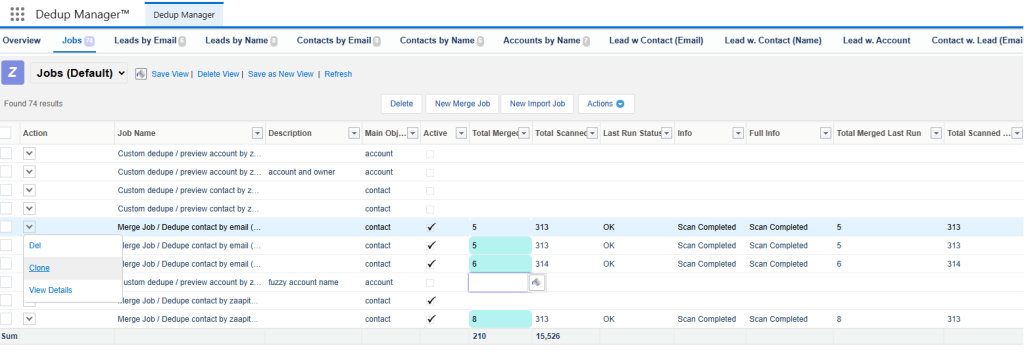


The main usage of a Master Selection Formula in Zaapit for Salesforce is as a powerful rule that helps users automatically determine the master (or survivor) record when duplicates exist.
💡 What It Does
When multiple records share similar or identical data, Zaapit uses the Master Selection Formula to auto-select the one that should be kept as the master record, while marking others as duplicates.
This ensures consistency, accuracy, and control in your deduplication process.
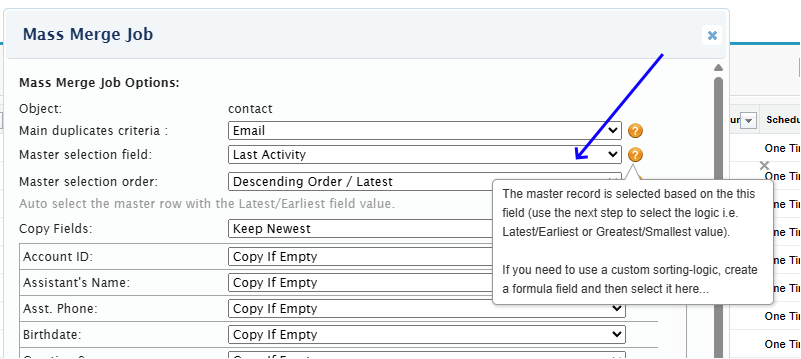
🧭 To create a formula do the following:
🧭 Step 1: Go to Object Manager
- Click the ⚙️ Setup icon (top right corner).
- Select Object Manager.
- Choose the object you want to add the formula to, for example, Opportunity or Custom Object.
🧮 Step 2: Create a New Formula Field
- In the object’s sidebar, click Fields & Relationships.
- Click New.
- Choose Formula as the type, then click Next.
- Enter:
- Field Label (e.g., Expected Close Date)
- Field Name (auto-fills)
- Formula Return Type → select Date/Text/any
- Click Next.
🧠 Step 3: Write the Formula
In the formula editor, enter your logic using Salesforce formula syntax.
Exmaple: IF( IsPrimary__c = TRUE, “Master”, “Duplicate” )
tep 4: Check Syntax and Save
Click Save.
Click Check Syntax to validate your formula.
Click Next, set field-level security as needed (admin only), and no need to add it to your page layouts (it will be used inside the merge job).
You can disblae & clone an existing job to chnage the master selection formula: